A privacy check on every site you visit
Dossier for Chrome and Edge shows what a site's privacy policy allows, which trackers the page loads and what its forms ask for. It never reads what you type.
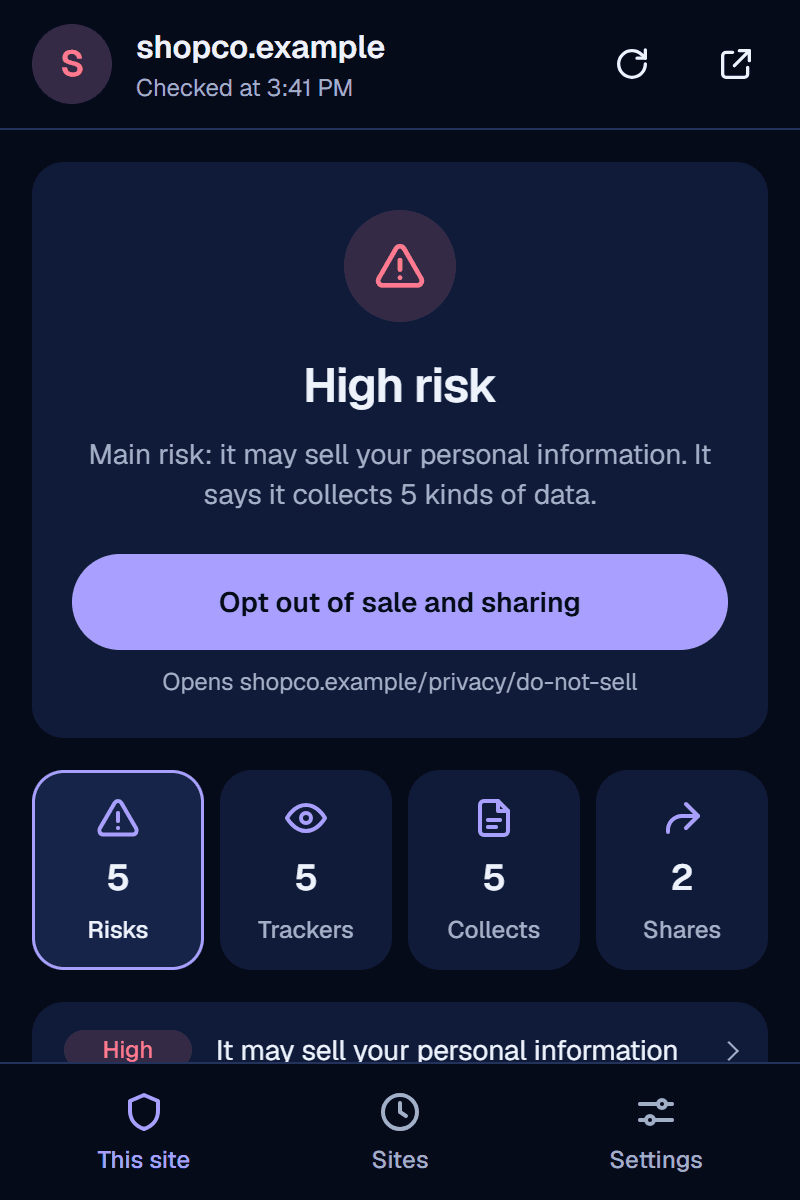
What it shows you
The badge appears as you browse. Open the popup for the evidence behind it.
A verdict on every site
A badge in your toolbar marks sites with real concerns. Finding nothing isn't proof a site is safe, so there's no green light.
What the policy allows
What the site says it collects, and whether it sells or shares it, with the exact sentence from its policy. When it promises not to sell but loads ad trackers, you see both side by side.
Who's watching
Ad trackers, session-recording tools and data brokers the page loaded, and the other sites you opened where each one showed up too.
What a form asks for
Card numbers, Social Security numbers and passwords, and whether they'd be sent without encryption.
People-search sites
A warning on sites that publish profiles of people, with a link to scan yourself and the site's own opt-out page.
Who sells its ads
How many ad companies the site's ads.txt lets sell its ad space, and the message an ad auction can send them about you, filled in from your own browser.
Install it in four steps
It isn't in the Chrome Web Store yet, so you add it yourself. It takes about a minute.
- 1
Download it and unzip it
You get a folder named
dossier-privacy-check. Keep it somewhere you won't delete it. - 2
Open your browser's extensions page
Paste this into the address bar, then turn on Developer mode.
chrome://extensionsedge://extensions - 3
Choose Load unpacked
Pick the
dossier-privacy-checkfolder. - 4
Pin it and reload your tabs
Pin it from the puzzle-piece menu. Tabs you already had open need a reload before it can see them. Stay signed in to Dossier in this browser: the extension checks sites with your account.
What it reads, and what it sends
A privacy tool shouldn't become one more thing watching you. Every request it makes is listed in Dossier's outbound log.
- It never reads what you type. Form fields are judged by their labels.
- Trackers are matched by hostname. The rest of a tracker's address, where account IDs hide, is dropped.
- Dossier hears about a site when you open the popup on it. Checking every site you visit is off until you turn it on.
- Opening the popup has Dossier read that site's own policy and ads.txt, and send the policy's selling and sharing sentences to Google's AI. Each request is logged in your account.
- Nothing goes to a search engine. One button forgets the sites you've visited, in the extension and on Dossier's server, and tells you what it can't recall.
- WebsiteGET shopco.example/legal/privacy200No cookies sent. Read straight from the site.
- WebsiteGET shopco.example/ads.txt200Who may sell its ads.
- Google AIPOST generativelanguage.googleapis.com/…:generateContent200Policy sentences, read by Google's AI.